How to Build a Supplier Scorecard in Shopify Metafields: A Step-by-Step Tracking System for Multi-Vendor Stores
Shopify metafields accept text, integers, dates, decimals, ratings, and JSON on every product, variant, order, and customer record.

How to Build a Supplier Scorecard in Shopify Metafields: A Step-by-Step Tracking System for Multi-Vendor Stores
Shopify metafields accept text, integers, dates, decimals, ratings, and JSON on every product, variant, order, and customer record. That native data layer, free and requiring zero app installs, can run a complete supplier scorecard for multi-vendor dropshipping operations, tracking defect rates, delivery windows, and cost accuracy at the SKU level.
Why Supplier Data Belongs on the Product Record
Supplier performance tracking in most dropshipping stores lives in Google Sheets. A row for each vendor, columns for delivery time and defect count, updated whenever someone remembers. The data decays within weeks, and decisions get made on gut feel instead of numbers.
Shopify product metafields solve this by tying supplier data to the product it describes. As Firebear Studio's metafield documentation explains, these fields "store hidden data for backend operations, such as product SKUs, supplier codes, or custom stock details." When the scorecard data lives on the product itself, every time you open that product page in your admin, you see supplier performance alongside inventory counts, pricing, and variant info.
This matters because multi-vendor dropshipping stores carry products from 3 to 15 suppliers simultaneously. Flxpoint's analysis of scaled dropshipping operations found that businesses should "weight each metric based on importance to your business" and "share performance data regularly." Metafields make that sharing possible without exporting CSVs or switching between platforms.
And when your supplier concentration risk is spread across multiple vendors, knowing exactly which supplier is underperforming on which metric becomes a margin protection tool rather than a curiosity.
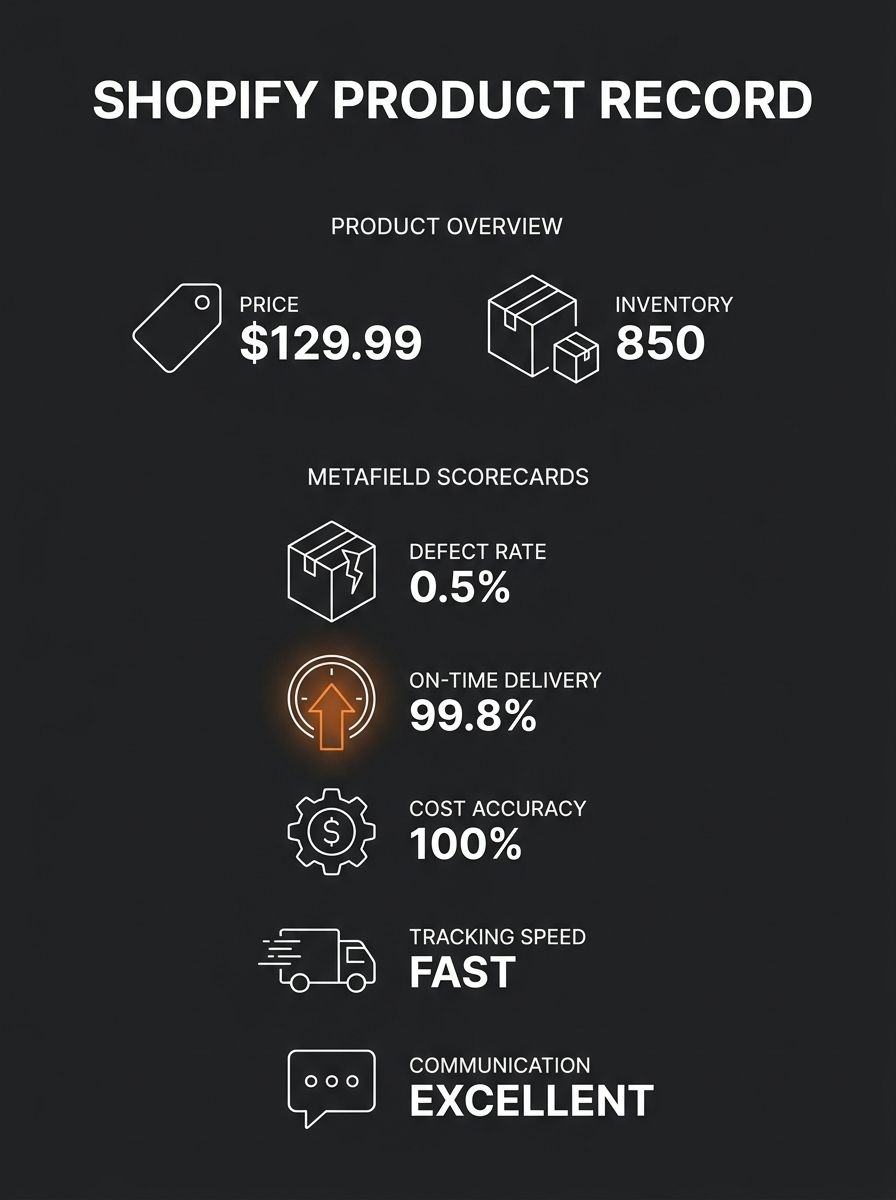
The Five-Metric Supplier Scorecard Framework
Vendor management best practices recommend 8 to 15 metrics per supplier, but for Shopify metafields, fewer performs better. Each metric needs its own field definition, and over-indexing on data points creates maintenance burden that kills adoption within 2 to 3 months. Five metrics capture 80% or more of supplier performance variance for a typical dropshipping operation.
Metric | Metafield Content Type | Namespace.Key | Update Frequency | Red-Flag Threshold |
|---|---|---|---|---|
On-Time Delivery Rate | Decimal (percentage) | custom.supplier_otd | Per order batch | Below 90% |
Product Defect Rate | Decimal (percentage) | custom.supplier_defect | Monthly | Above 3% |
Cost Accuracy | Decimal (percentage) | custom.supplier_cost_acc | Per invoice | Below 95% |
Tracking Upload Speed | Integer (hours) | custom.supplier_track_hrs | Per order | Above 48 hours |
Communication Score | Rating (1–5) | custom.supplier_comm | Quarterly | Below 3.0 |
On-Time Delivery Rate measures what percentage of orders ship within the promised window. For most dropshipping suppliers, this window runs 2 to 7 business days depending on origin country. Anything below 90% on-time delivery directly increases customer service ticket volume and refund rates.
Product Defect Rate tracks the percentage of units that arrive damaged, wrong, or materially different from the listing. The industry benchmark for acceptable defect rates sits around 1% to 2%. At 3% and above, your return costs start eating into the 15% to 30% gross margins that most dropshipped products carry. If you run periodic test order audits to catch quality problems early, this metafield gives you a running record of what those audits found.
Cost Accuracy catches the gap between quoted supplier prices and actual invoiced amounts. Currency fluctuations, undisclosed surcharges, and packaging cost shifts driven by supply chain disruptions make this metric essential. A supplier quoting $4.20 per unit but consistently invoicing $4.55 creates a 8.3% margin erosion that compounds across hundreds of orders.
Tracking Upload Speed records how many hours pass between order fulfillment and tracking number transmission. Bizowie's fulfillment guide stresses that tracking should be transmitted "promptly, not days later when the customer is already calling to ask where their order is." Every hour of tracking delay generates support tickets. A 48-hour ceiling is generous; top-performing suppliers upload within 12 hours.
Communication Score is the one subjective metric. Rate suppliers 1 to 5 quarterly on response time, issue resolution quality, and willingness to share inventory data. This score functions as an early warning: a supplier whose communication drops from 4.5 to 2.0 over two quarters is often about to degrade on the other four metrics as well.
Setting Up Metafield Definitions in Your Shopify Admin
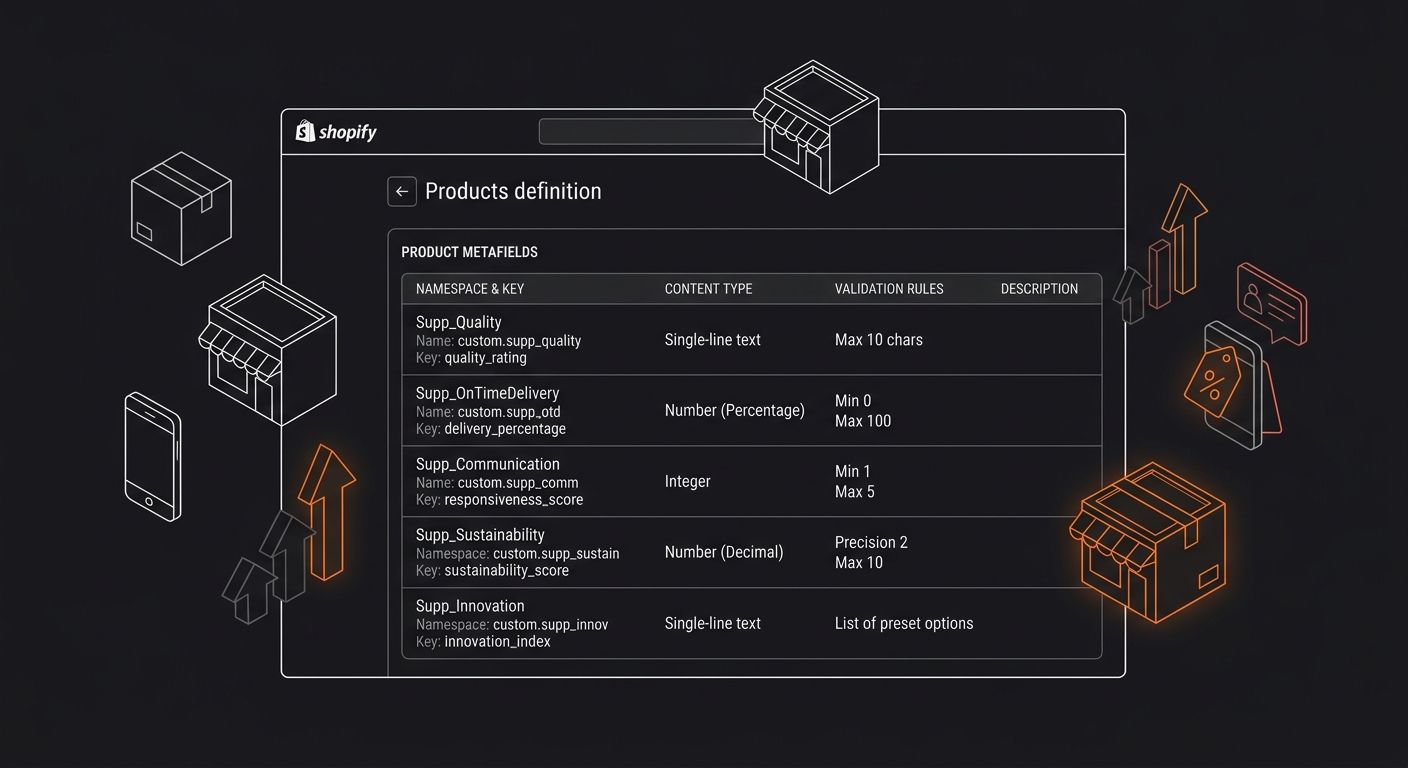
Navigate to Settings, then Custom Data in your Shopify admin. You'll create metafield definitions on the Products resource for product-level supplier scoring, and optionally on Orders for per-order tracking speed data.
For each of the five metrics, define a new metafield:
Click "Products" under Custom Data, then "Add definition"
Enter the name (e.g., "Supplier OTD Rate"), the namespace and key (e.g., custom.supplier_otd), and select the content type from the table above
Enable "Use in analytics" if you want the field available as a filter in Shopify Analytics reports. Shopify allows metafields to serve as dimensions or filters in native reports when this toggle is active
Set validation rules where applicable: the decimal fields should accept values between 0.00 and 100.00, the rating field should use a 1-to-5 scale, and the integer field for tracking hours should accept 0 to 720 (a 30-day maximum)
Repeat for all five metrics
For stores using supplier feed mapping tools, Highview Apps' EZ Inventory documentation shows you can map supplier feed data directly to variant metafields by selecting "Variant Metafield" under Field Mapping and specifying the namespace and key. This automates population of fields like cost accuracy when your supplier sends updated pricing feeds.
Connecting Shopify Flow for Semi-Automated Updates
Manual metafield updates work for stores processing under 50 orders per week. Beyond that volume, Shopify Flow automates portions of the scorecard.
Flow can trigger on order fulfillment events, pulling the time difference between order creation and tracking number upload to calculate tracking speed automatically. It can also send email alerts when a supplier's metrics cross threshold values. Craftybase's workflow documentation demonstrates storing supplier contact info in a custom.supplier_email metafield and using Flow to "send your supplier a pre-filled reorder request the moment you hit your reorder point." The same architecture applies to scorecard alerts.
Configure a Flow workflow that:
Triggers when a product's custom.supplier_defect value exceeds 3.0
Sends an internal Slack or email notification with the product name, supplier name, and current defect rate
Tags the product with "supplier-review-needed" so your ops team can filter affected SKUs in bulk
For the metrics that require manual calculation (on-time delivery rate, communication score), schedule a biweekly 30-minute session where you pull order data, calculate the percentages, and update the metafields in bulk using Shopify's bulk editor or the Matrixify app. This hybrid approach keeps your scorecard current without requiring a full-time analyst.
If you're already running automated supplier sync systems, adding metafield writes to those existing workflows typically takes 15 to 30 minutes of configuration time.
Reading the Scorecard and Making Supplier Decisions
A supplier scorecard without a decision framework is a dashboard nobody checks. Assign weights to each metric based on what damages your margins most.
The weighting split that works for most dropshipping operations: 50% to operational metrics (on-time delivery and defect rate combined), 30% to cost metrics (cost accuracy), and 20% to service metrics (tracking speed and communication combined). This mirrors procurement weighting frameworks where operational performance dominates, because late or defective shipments create cascading costs in refunds, reshipping, and customer churn that dwarf a 2% price increase.
Calculate a composite score per supplier each quarter. Multiply each metric's normalized value (0 to 100) by its weight, then sum the results. A supplier scoring below 70 composite needs immediate review. Below 60 means you activate your backup supplier network for those SKUs while the relationship is renegotiated or terminated.
Flxpoint's vendor management guide recommends that "for strategic suppliers, conduct quarterly business reviews to identify trends, root causes, and improvement opportunities." Share the actual metafield data with your suppliers during these reviews. A vendor seeing their OTD rate at 87% alongside a competitor at 96% has concrete, documented motivation to improve. Integrating scorecards with order management systems can reduce days payable outstanding (DPO) volatility by up to 10 days, according to procurement integration benchmarks.
What Native Metafields Still Can't Do
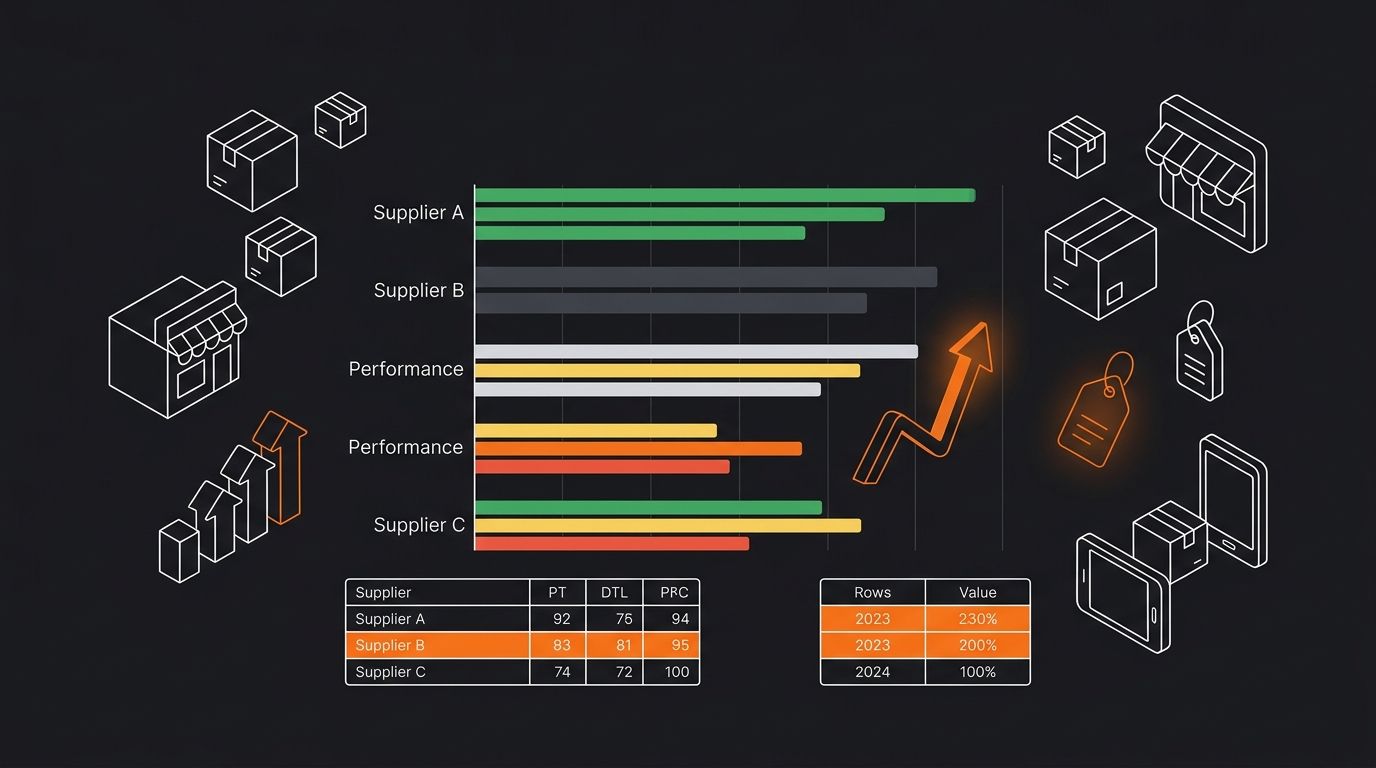
Shopify metafields have real constraints as a scorecard system. They don't calculate aggregated values across orders automatically. You can't build a formula inside a metafield that averages the last 30 days of delivery times. That computation happens outside Shopify, either in Flow for simple triggers or in a connected spreadsheet or app for rolling averages.
Report Pundit and similar third-party reporting tools can pull metafield data into custom reports, including calculated metrics that Shopify's native analytics won't compute. For stores managing 10 or more suppliers and 500+ SKUs, the $20 to $50 per month for a reporting app pays for itself in operational time saved.
The other gap: metafields don't support historical versioning natively. When you update a supplier's defect rate from 2.1% to 3.4%, the old value disappears unless you're logging it separately. Consider adding a custom.supplier_score_log metafield using the JSON content type to store timestamped historical values, though this requires manual or app-assisted maintenance.
These gaps are manageable for stores running 3 to 8 suppliers, where native metafields plus Flow cover roughly 90% of the supplier performance tracking workflow. The remaining 10% is where you decide if an external vendor management platform like Flxpoint or Duoplane justifies its cost. For most stores under $500K annual revenue, the metafield-based approach described here delivers comparable visibility at zero incremental software spend.
365 Dropship Editorial
Editorial team writing about E-commerce, dropshipping, and product discovery — reviews of dropshipping suppliers and platforms, trending niche guides (jewelry, beauty, pets, home, fashion), supplier due diligence, ecom operations, shipping & fulfillment strategy, product research, AOV optimization, and profitable dropshipping case studies.
Related Articles
The KPI Hierarchy: Which Metrics Actually Matter When You're Managing 5+ Suppliers
Scorecard tools from platforms like Tradogram, SourceDay, and Ramp default to equal weighting across four categories: quality, delivery, cost, and service.

The Supplier Scorecard Audit: Building a Quality Matrix That Catches Red Flags Before Your First 100 Orders
Procurement scoring frameworks use a 0-100 scale where any supplier below 60 earns "red" status, meaning business on hold and corrective action required.

From Order to Tracking: Building Automated Supplier Sync Systems That Actually Work
Spark Shipping's documentation lists six distinct protocols for routing purchase orders to suppliers: email, EDI, FTP, CSV, XML, and direct API. Duoplane, built for mid-market and enterprise operations, supports a nearly identical set — EDI, email, API, and vendor portal.
Explore more topics