User Guides Template: Create Better Documentation
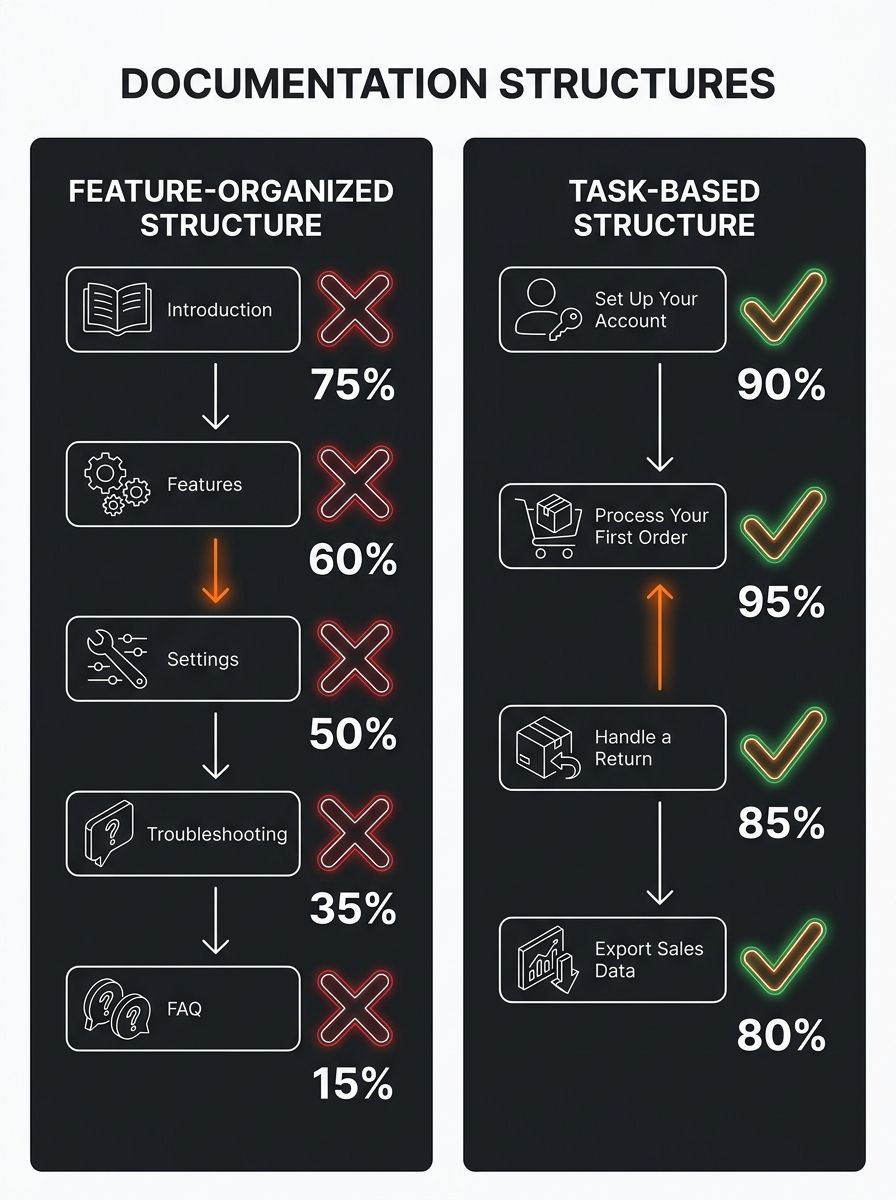
The six-section user guides template that ships with every major documentation platform organizes information by product structure, not by user problem.

The Default User Guides Template Is Why Your Docs Get Ignored
The six-section user guides template that ships with every major documentation platform organizes information by product structure, not by user problem. That shared default is why 98% of customers attempt self-service before contacting support yet still flood your inbox with tickets a better template would have prevented.
Feature-First Organization Fails Real Users
Why does the standard user guides template produce documentation people abandon within 30 seconds? Because it mirrors the product's navigation menu, not the user's intent. When someone searches "how do I export my order CSV," they don't care that the export function lives under Settings > Data Management > Exports. They want the 3 steps to get the file downloaded.
According to ProProfs' documentation guide, effective user guides follow a simple flow: "know the audience, map tasks, choose templates/tools, structure clearly, test with novices, publish and iterate." The operative phrase is "map tasks." Process mapping and user journey mapping should happen before you open any template. Yet most teams skip this step entirely and go straight to filling in the default sections their tool provides.
The numbers reinforce the structural problem. Active, well-maintained user guides correlate with a 23% reduction in support ticket volume. And 67% of customers prefer solving problems independently over contacting a support agent. The gap between those two data points tells you the demand for self-service exists, but documentation structured around features instead of tasks blocks people from getting the answer.
If you're running an ecommerce operation where supplier communication failures can collapse margins mid-campaign, the documentation problem compounds fast. Your team references the same SOPs, the same vendor onboarding guides, the same returns process docs. When those templates are organized by department function instead of by the task someone needs to complete at 11pm during a fulfillment crisis, errors stack up and eat margin.
What Ships With the 6 Most Popular Documentation Tools
I tested the default templates from six documentation platforms to see which ones default to task-based structures and which ones still ship the old feature-organized skeleton. The results split cleanly into two camps.
Platform | Default Template Type | Task-Based by Default? | Free Tier | AI Guide Generation | Best For |
|---|---|---|---|---|---|
Scribe | Step-by-step process capture | Yes | Yes (25 guides) | Yes | SOPs, onboarding |
Slite | Software wiki + docs | Partial (needs restructuring) | Yes (50 docs) | Yes | Team wikis |
ProProfs KB | Knowledge base + manual | Partial | Yes (limited) | No | Help centers |
FlippingBook | PDF-based flipbook manual | No | Trial only (14 days) | No | Print-style manuals |
INSTRKTIV | Chapter-based manual builder | No | Template download only | No | Regulatory/safety docs |
Visme | Visual guide/infographic | No | Yes (limited exports) | Yes | Marketing-facing guides |
Scribe stands out because it captures your actual workflow as you perform it, then generates step-by-step documentation with annotated screenshots automatically. That bypasses the template problem entirely. You don't organize by feature because the tool records the task as you execute it. For ecommerce operators documenting a 7-step returns workflow or a supplier QC checklist, this approach saves 2-3 hours per guide compared to writing from scratch.
Slite's user documentation framework covers 8 writing methods and 7 document types, from manuals and guides to FAQs and runbooks. Their free tier allows 50 documents with built-in comments and suggested edits from team members. The default template is solid, but you'll need to manually restructure the sections around tasks rather than product areas. Budget 30-45 minutes for that restructuring on your first guide.
FlippingBook and INSTRKTIV take a more traditional approach rooted in print-era documentation. INSTRKTIV's free user manual template recommends structuring topics so that "as soon as a user is looking for an answer to his problem, he will use the table of contents to find out how to navigate to that answer." The intent is correct, but their default chapter-and-subparagraph structure still mirrors product architecture, which is the exact pattern that causes users to bounce.
For operators building templates for user guides around their own products, the platform choice matters less than the structural decision you make before filling anything in. If you're starting a dropshipping business and writing product documentation for the first time, pick a tool that forces task-based thinking from the start. Scribe does this natively. Everything else requires you to override the default.
Testing With Someone Who Has Never Seen the Product
AI tools can generate a complete user guide from website content in under 5 minutes. That speed is deceptive. The generated guide will be feature-organized by default because it pulls from your product pages, which are themselves organized by feature. Speed of creation has zero correlation with whether anyone can follow the output.
As TechSmith's documentation guide puts it: "Use simple language, but avoid writing as if your users are children." That's a tone principle, but the structural issue runs deeper. The best user guides templates in 2026 prioritize task-based walkthroughs for SaaS and web applications over the safety warnings, warranty cards, and part diagrams that dominated print-era manuals for 30 years.
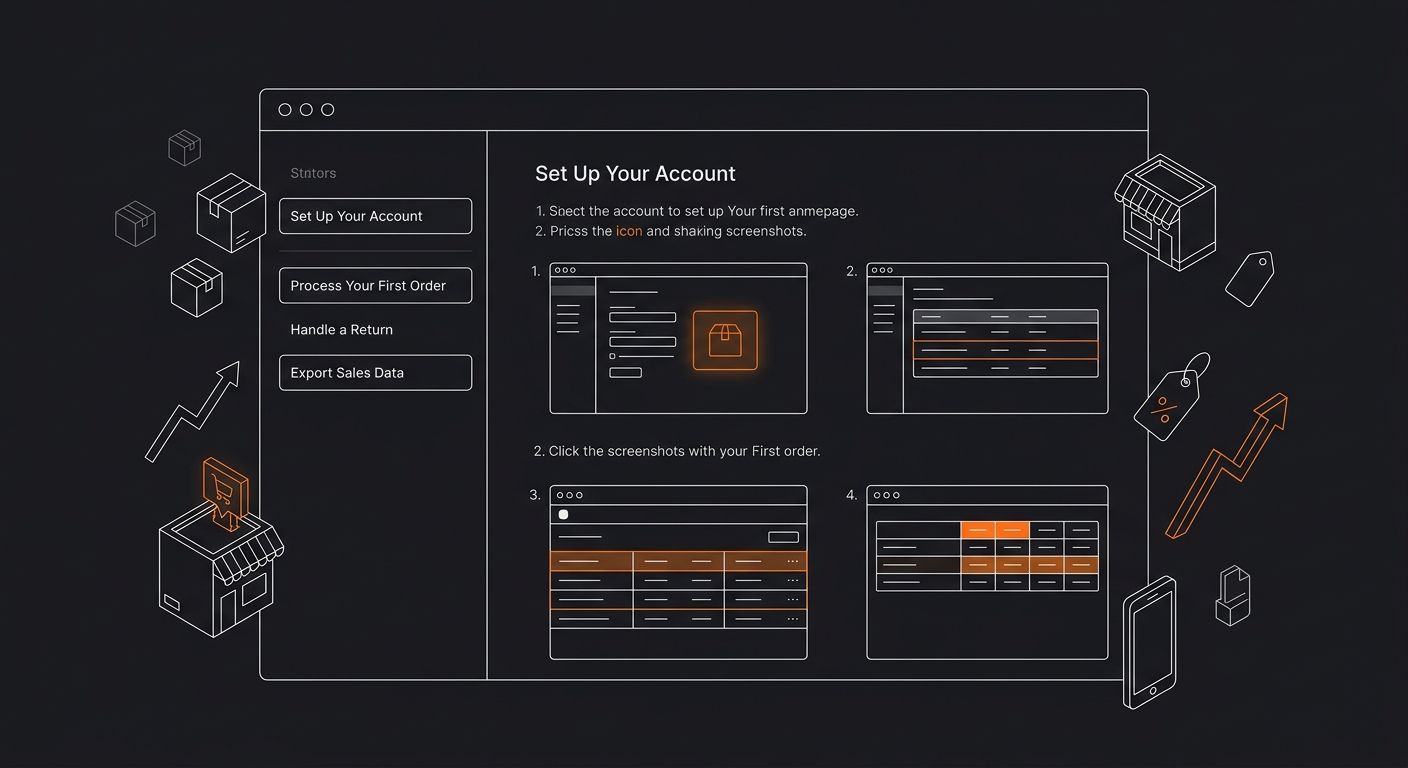
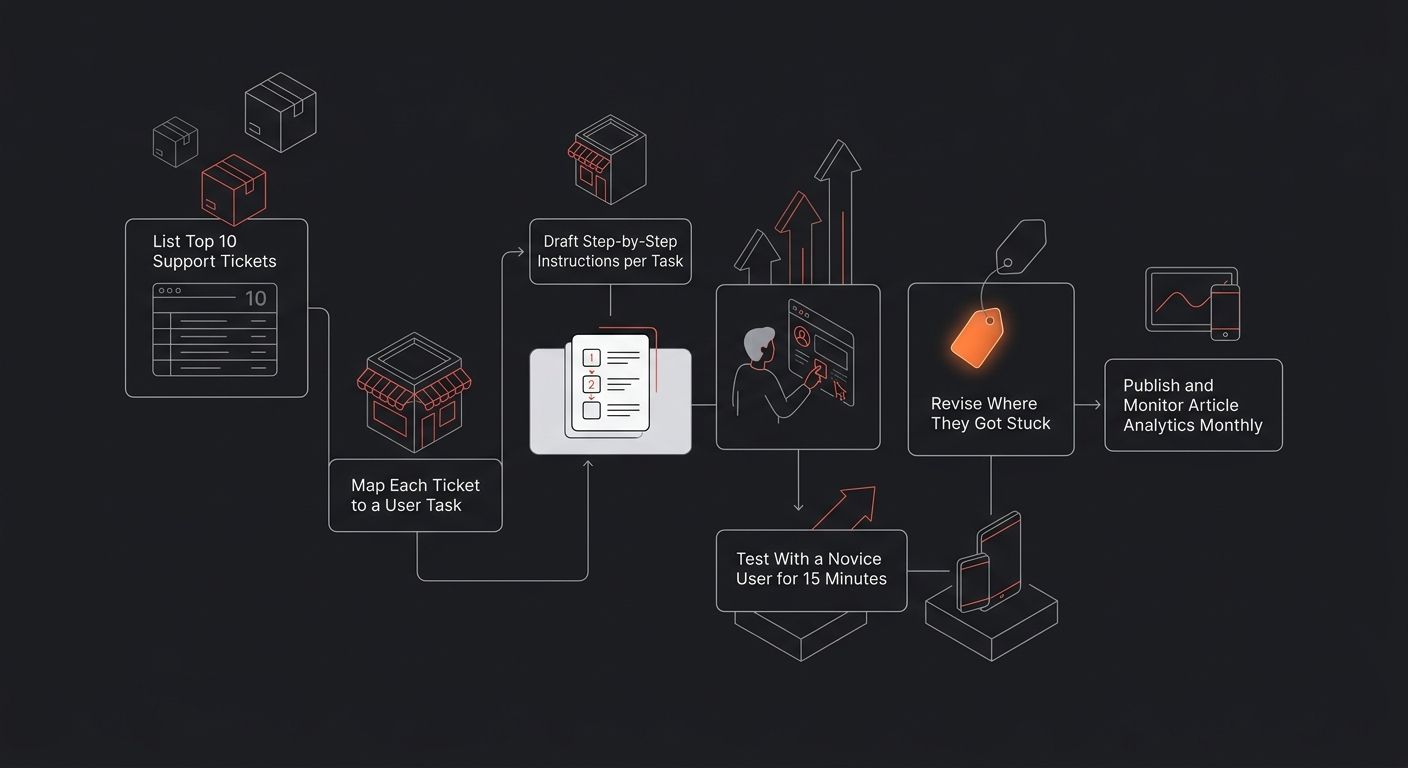
Testing documentation with a novice user before publishing is the single highest-ROI step in the entire documentation process, and it gets cut from every timeline. You hand your freshly generated guide to someone who has never used the product and ask them to complete 3 specific tasks using only the documentation. Where they get stuck, your template failed. A 15-minute session with one tester reveals more structural problems than a week of internal review.
This follows the same logic behind validating product research before committing budget. You wouldn't launch a product based on assumptions about what customers want. Publishing documentation based on assumptions about what users can follow is the same category of mistake.
The feedback loop should be built into your template as a required section, not bolted on as an afterthought. Visme recommends embedding a feedback form directly into the guide. Slite enables inline comments and suggested edits. ProProfs includes analytics showing which articles get read to completion and which get abandoned after the first scroll. These feedback mechanisms belong in the template itself. When you treat analytics and feedback collection as optional, your documentation decays within 60 days of publication and your support ticket count drifts back to baseline.
If you run a store where the Shopify app stack already taxes your margins, you don't need a $200/month documentation platform. A free Scribe or Slite account, restructured around your top 10 support tickets, will outperform any premium tool that ships with the same feature-organized default everyone else accepts without questioning.
The Claim, Reconsidered
Templates for user guides do provide genuine value. They give you a starting skeleton, consistent formatting, and a publication workflow that keeps documentation from living forever in a Google Doc no one updates. The problem is that the default skeleton in 4 of the 6 tools tested follows the same feature-organized pattern that's been standard since paper manuals shipped in product boxes.
The three tools worth your time for ecommerce documentation are Scribe (captures workflows automatically, free for up to 25 guides), Slite (collaborative wiki-style docs with feedback loops, free for 50 documents), and ProProfs KB (standalone help centers with built-in article analytics, limited free tier). All three require you to restructure their default templates around tasks before you start writing. Only Scribe does this natively.
The user guides template you select shapes every piece of documentation that follows it. Get the structure right at the template level, and individual guides require far less revision after publication. Accept the default six-section skeleton, and you'll keep answering the same support tickets your documentation was supposed to eliminate. The template is the problem and the solution, depending entirely on whether you restructure it before you write the first word.

Ryan Torres
Ryan Torres is a former Amazon FBA seller turned dropshipping consultant who has generated over $2.8M in ecommerce revenue across 14 product launches. He specializes in supplier vetting, margin optimization, and scaling DTC operations for sub-$1M brands. Ryan focuses on actionable frameworks that drive measurable results for independent operators.
Related Articles

How to Write Effective Software User Guides
Writing effective software user guides requires six sequential steps: audience mapping, task-based outlining, plain-language drafting, visual annotation, live usability testing, and release-synced maintenance.

Buyers Guides: Complete Shopping Decision Framework
Buyers guides that actually convert follow a five-step framework: define the purchase context, build a comparison matrix, weight criteria, score options, and validate margins.

AI Store Builders vs. Manual Shopify Setup: The 2026 Speed-to-Profit Tradeoff for Dropshippers
Atlas AI Store Builder generates a fully functional Shopify store in under two minutes, according to a Dropmagic comparison of seven AI tools. Manual Shopify configuration typically requires 15 to 40 hours of theme work, copywriting, image editing, and SEO.
Explore more topics