How to Calculate Profit Percentage
Markup and margin produce different percentages from the same dollar amounts: a $15 cost and $20 sale price gives you 33% markup but 25% profit margin. This tutorial shows you how to calculate profit percentage at both the gross and net level, then verify your math with four free online calculators.

How to Calculate Profit Percentage with Free Margin Calculators
Markup and margin produce different percentages from the same dollar amounts: a $15 cost and $20 sale price gives you 33% markup but 25% profit margin. This tutorial shows you how to calculate profit percentage at both the gross and net level, then verify your math with four free online calculators.
Before You Start
You need three things before running these calculations: your total revenue (all sales income), your cost of goods sold (COGS, meaning what you paid for the products you sold), and your total operating expenses (rent, software subscriptions, ad spend, shipping, payment processing fees, taxes). If you're running a dropshipping store, your COGS is your supplier cost per unit times units sold. Your operating expenses include platform fees, app subscriptions, and ad spend.
Time required: 10-15 minutes for the math, another 5 minutes to verify with a calculator tool.
Knowledge level: Basic arithmetic. You need to know your revenue and costs. If you don't have these numbers, pull them from your Shopify dashboard, accounting software, or bank statements first.
Step 1: Pull Your Revenue and Cost Numbers
The goal here is to get three clean numbers onto a spreadsheet or piece of paper: total revenue, COGS, and total expenses.
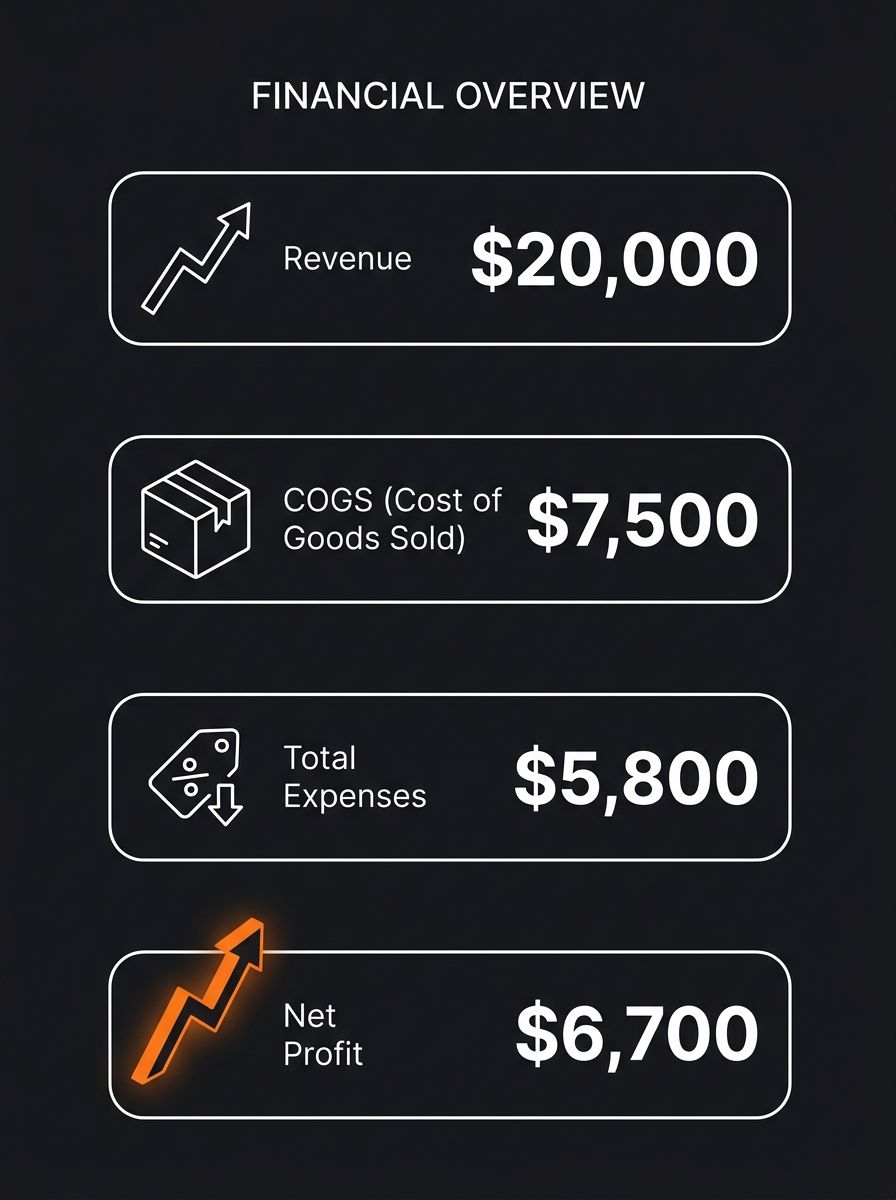
Revenue is straightforward. The total dollar amount customers paid you. If you sold 500 units at $40 each, your revenue is $20,000. Don't subtract anything yet.
COGS is what you paid to acquire or produce those goods. For a dropshipping operation, that's your supplier cost per unit ($15) times units sold (500) = $7,500. Include inbound freight and any duties. Recent data shows split orders alone reduce profit by 18–28% due to higher carrier surcharges, so if your supplier ships from multiple warehouses, account for the extra shipping cost in this line item.
Total expenses capture everything else: Shopify's $39/month plan, your email marketing app at $29/month, Facebook ad spend of $3,200, transaction fees at 2.9% + $0.30 per order, returns processing, and any contractor costs. Add these up separately from COGS.
You'll know this step worked when you have three numbers that, when you subtract COGS and expenses from revenue, give you a positive or negative dollar figure. If the number is negative, you're operating at a loss. The percentage calculations below still work, they'll just return a negative profit percentage.
Step 2: Calculate Gross Profit Percentage
Gross profit percentage tells you how much of each revenue dollar survives after paying for the product itself. It ignores operating expenses, which makes it useful for comparing products against each other but dangerous if you treat it as your "real" margin.
The formula:
Gross Profit Percentage = ((Revenue - COGS) / Revenue) × 100
Working example:
Revenue: $20,000
COGS: $7,500
Gross Profit: $20,000 - $7,500 = $12,500
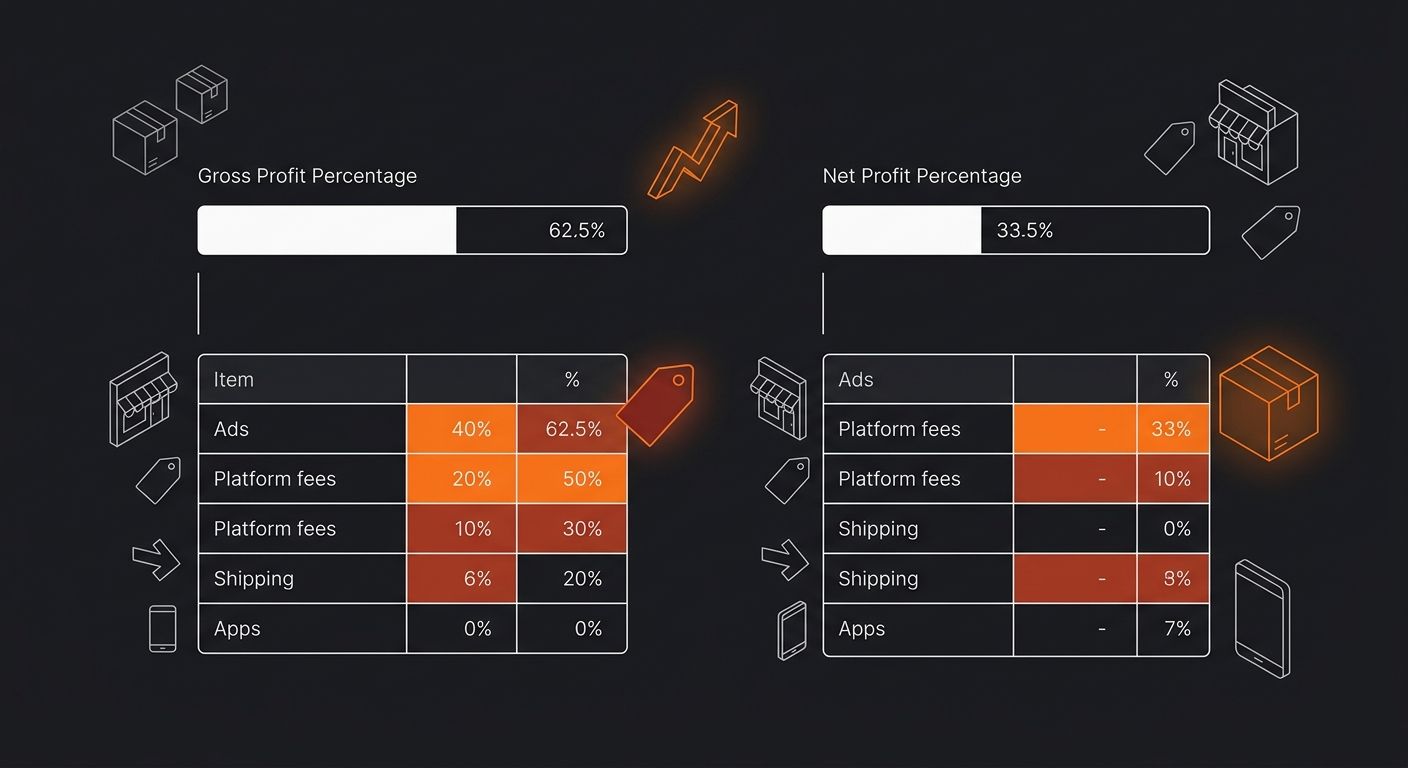
Gross Profit Percentage: ($12,500 / $20,000) × 100 = 62.5%
That 62.5% looks incredible. And it is, for a gross margin. But as Ramp's breakdown of gross vs. net profit makes clear, gross profit is revenue minus direct production costs only. Net profit is what's left after subtracting operating expenses and taxes. The gap between these two numbers is where most sellers lose track of their actual take-home.
You'll know this step worked when your gross profit percentage falls between 0% and 100%. If you're in dropshipping, healthy gross margins typically land between 40% and 70% depending on your niche. Below 30%, your supplier costs are eating too much of your sale price. Our guide on calculating profit margin step by step covers what to do when your gross margin falls short.
Step 3: Calculate Net Profit Percentage
Net profit percentage is the number that actually determines what hits your bank account. It answers one question: for every dollar of revenue, how many cents do you keep after everything is paid?
The formula:
Net Profit Percentage = ((Revenue - COGS - All Other Expenses) / Revenue) × 100
Or equivalently, as Cuemath's profit formula reference states: Net profit percentage = (Net profit / Total revenue) × 100%.
Working example:
Revenue: $20,000
COGS: $7,500
Operating Expenses: $5,800 (ads, apps, platform fees, shipping, transaction fees)
Net Profit: $20,000 - $7,500 - $5,800 = $6,700
Net Profit Percentage: ($6,700 / $20,000) × 100 = 33.5%
See the drop? Gross was 62.5%. Net is 33.5%. That 29-point gap represents your operating expenses as a percentage of revenue. Nadine Jaillet, a Senior Account Manager at BDC, puts it directly: "The higher your net profit margin, the more money you put in your pocket."
For ecommerce operators, a net profit percentage above 20% is strong. Between 10-20% is workable. Below 10%, you're one ad cost spike away from breaking even. If your Shopify app stack is dragging down that net number, our review of the best dropshipping apps covers which tools actually earn back their subscription cost.
Step 4: Verify with a Free Profit Margin Calculator
Running the math by hand builds intuition for how the formula works. But for ongoing SKU-level analysis across dozens of products, you want a calculator that catches rounding errors and keeps margin separate from markup. Here are four free tools worth bookmarking.
Calculator | What It Calculates | Inputs Required | Markup Conversion | Best For |
|---|---|---|---|---|
Net profit margin, profit % | Cost + Revenue OR Cost + Margin % | Yes | Quick per-product checks | |
Gross margin, markup | Cost + Revenue | Yes, side-by-side | Comparing margin vs. markup | |
Gross and net margin | Revenue + Costs | Yes | Sellers wanting markup-to-margin tables | |
Net profit margin | Revenue + All Expenses | No | Full P&L-level net margin |
How to use them: Enter your revenue in the first field and your cost (COGS for gross, total costs for net) in the second field. The calculator returns your margin as a percentage. Compare this against your hand calculation from Steps 2 and 3.
You'll know the verification worked when the calculator's output matches your hand calculation within 0.1 percentage points. If there's a larger discrepancy, you likely mixed up margin and markup, or forgot to include a cost category in your expenses.
When the Numbers Don't Add Up
Three problems show up repeatedly when sellers calculate profit percentage for the first time.
Your net margin is negative but your gross margin looks healthy
This means your operating expenses exceed your gross profit. The product economics work, but your business overhead doesn't. Common culprits: ad spend above 25% of revenue, too many paid Shopify apps stacking monthly fees, or return rates above 8% eating into your shipped revenue. Use your profit margin formula to isolate which expense category is the biggest drag.
Your calculated margin doesn't match your accounting software
Accounting software like QuickBooks or Xero uses accrual accounting by default, which recognizes revenue when the order is placed, not when payment clears. Your hand calculation might use cash-basis numbers. The fix: make sure you're pulling revenue and expenses from the same accounting method. Also check whether your software includes or excludes sales tax from revenue. Including it inflates your margin by 5-10 points depending on your tax rate.
SKU-level margins don't roll up to your total P&L margin
This happens when you calculate profit percentage per product using simple averages instead of weighted averages. A product that sells 400 units at 35% margin and another that sells 100 units at 60% margin don't average to 47.5%. The weighted average is ((400 × 0.35) + (100 × 0.60)) / 500 = 40%. Use weighted averages when reconciling SKU-level calculations to your overall P&L, and factor in all costs including freight, duties, and rework for accurate results.
Where to Go From Here
Once you can calculate profit percentage reliably, the next move is building it into your weekly workflow. Set up a spreadsheet that auto-calculates gross and net profit percentage per SKU, and review it every Monday before you adjust ad spend or reorder inventory. The sellers I've worked with who track net margin weekly catch cost creep 3-4 weeks faster than those who wait for monthly accounting reports.
If your margins are tight because supplier costs are too high, look into vetting alternative suppliers through platforms like 1688.com where factory-direct pricing can cut COGS by 15-40% compared to AliExpress middlemen. And if shipping costs are the margin killer, our breakdown of shipping cost frameworks for dropshippers covers how to model delivery costs into your pricing before they surprise you at month-end.
The math itself takes ten minutes. Building the habit of running it consistently, at the SKU level, with all costs accounted for, is where most operators separate themselves from the sellers who get blindsided by a bad quarter. Pick one of the four calculators from the table above, verify your current margins today, and make it part of your Monday morning routine.

Ryan Torres
Ryan Torres is a former Amazon FBA seller turned dropshipping consultant who has generated over $2.8M in ecommerce revenue across 14 product launches. He specializes in supplier vetting, margin optimization, and scaling DTC operations for sub-$1M brands. Ryan focuses on actionable frameworks that drive measurable results for independent operators.
Frequently Asked Questions
- What is the difference between profit margin and markup?
- Markup and margin produce different percentages from the same dollar amounts—a $15 cost and $20 sale price gives you 33% markup but 25% profit margin. For example, 20% margin equals 25% markup, and 25% margin equals approximately 33% markup, making it easy to confuse the two.
- How do I calculate gross profit percentage?
- Gross profit percentage is calculated using the formula: ((Revenue - COGS) / Revenue) × 100. For example, with $20,000 revenue and $7,500 COGS, your gross profit percentage would be ($12,500 / $20,000) × 100 = 62.5%.
- How do I calculate net profit percentage?
- Net profit percentage uses the formula: ((Revenue - COGS - All Other Expenses) / Revenue) × 100. This accounts for all operating expenses like ads, apps, and platform fees, giving you the actual percentage of revenue you keep as profit.
- What counts as cost of goods sold (COGS)?
- COGS is what you paid to acquire or produce the goods you sold, including supplier costs, inbound freight, and any duties. For dropshipping, it's calculated as your supplier cost per unit multiplied by units sold, plus any additional shipping surcharges.
- What is a healthy net profit margin for ecommerce businesses?
- For ecommerce operators, a net profit percentage above 20% is considered strong, between 10-20% is workable, and below 10% means you're vulnerable to breaking even if ad costs spike.
- Why is my net profit margin negative when gross margin looks good?
- A negative net margin with healthy gross margin means your operating expenses exceed your gross profit. Common culprits include ad spend above 25% of revenue, too many paid app subscriptions, or return rates above 8%.
- What is the difference between gross profit and net profit?
- Gross profit is revenue minus only direct production costs (COGS), while net profit subtracts all operating expenses including ads, apps, platform fees, and taxes. Gross profit percentage tells you how good your product economics are, while net profit percentage tells you how good your business is.
Related Articles

How to Calculate Profit Margin: Step-by-Step
Profit margin measures how many cents of every revenue dollar you actually keep after costs. This guide walks you through calculating gross, operating, and net margin in under 15 minutes using real product numbers and formulas you can drop straight into a spreadsheet.

Profit Margin Formula: Calculate & Improve
The profit margin formula divides profit by revenue and multiplies by 100. Gross margin uses (Revenue − COGS) / Revenue. Net margin uses Net Income / Revenue. This guide walks you through calculating both in under 15 minutes using free online calculators and a basic spreadsheet.

Profit Margin Calculator Guide
Multiplying your product cost by 1.30 does not give you a 30% profit margin. It gives you a 23% margin, and that seven-point gap is where thousands of ecommerce operators silently lose money every month.
Explore more topics